

From the article you will learn:
- What CRM stands for,
- What are the functionalities of CRM systems,
- How much it costs to implement,
- What you can gain from implementing such a tool in your company.
We invite you to read more!
Definition of CRM
The acronym stands for Customer Relationship Management, or “customer relationship management.” When we use this term, we usually mean CRM systems, the software that is used for this management.
With a CRM system, you can track interactions with current and potential customers, store customer data and notes about them, and automate sales processes. Contact information, leads and sales opportunities are all in one place – usually in the cloud, so the data is always up-to-date and accessible to employees. This allows information to flow smoothly and avoid getting lost in electronic notebooks, spreadsheets or paper notebooks.
The most popular types of CRM tools can be divided into the following categories:
- SaaS: Systems based on a subscription model in which users pay monthly or annually to use the software.
- On-premise: Systems installed on the company’s servers.
- Cloud: Systems available online that can be used via a web browser.

CRM functionalities
Customer data can be entered into the system manually, or you can use integration with, for example, a website. Then a customer who fills out a contact form will automatically appear in the database, and the person responsible for contacting potential customers will get a notification and be able to respond quickly. This significantly increases the quality of customer service and Customer Experience (also known as CX and customer experience). A CRM system is, in short, sales automation, allowing salespeople to focus on meetings with customers without wasting time on manual tasks such as transcribing contact information between several systems or filling out spreadsheets. Sound simple? A CRM should be simple and clear to make it comfortable to use. However, the sales process is multi-step and varies from company to company, so there are many more CRM functions than just storing the most important information.
Here are some universal functionalities of CRM systems that will be applicable to most companies:
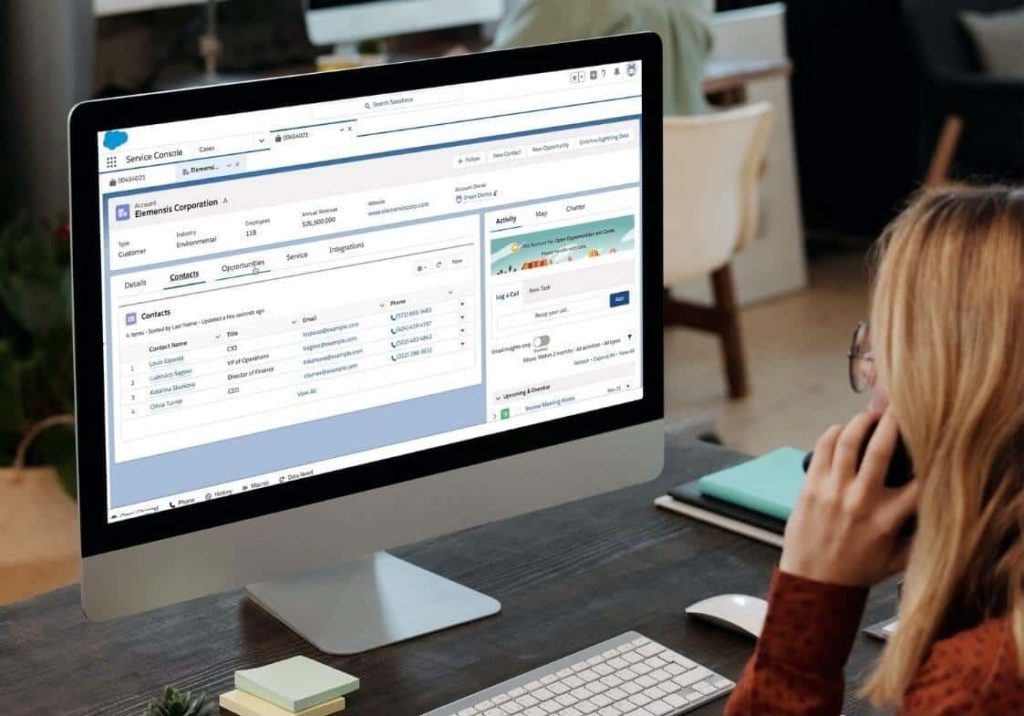
Contact management
Store, organize and track information about customers, prospects and sales leads. Many companies use spreadsheets before implementing the system, which creates chaos with more customers.
Leads (potential customers) management
Qualify, analyze and handle potential customers so as to convert as many of them as possible into sales opportunities. At this stage, it is possible to assign automatic tasks for completion, set reminders to make a phone call or schedule an email.
Sales opportunity management
The process of monitoring all opportunities for potential sales in the pipeline and closing them. This stage can be accessed not only by salespeople, but also by business consultants involved in the sales process, or other people assigned to the task. A sales opportunity in CRM can easily be turned into a project, keeping all the most important information.
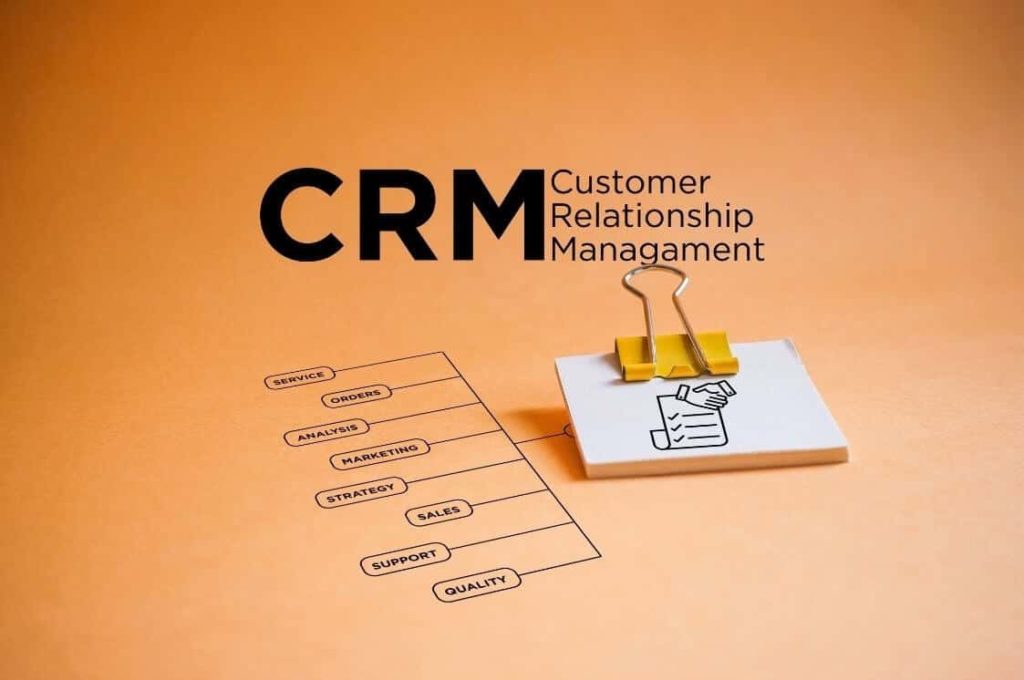
Campaign management
Planning, implementation, tracking and analysis of marketing campaigns. These can include mailings to webinar attendees, invitations to business breakfasts or newsletters. Some systems have more advanced marketing features, others less or none at all. The choice of tool should be tailored to our needs. Many companies also choose to integrate an external marketing tool with the CRM.
In turn, the integration of such a system with Outlook, Gmail or other mailers should even be a necessity, especially for companies that do most of their sales process by email. Email management from within a CRM offers the ability to send personalized emails, track customer conversations, plan mailing campaigns and send personalized, automated emails to customers to celebrate birthdays, for example.
Bid and order management
Create, manage, distribute, secure and track quotes and orders. If you want to carry out the quotation process in a CRM, it is worth checking how advanced the quotation creation function of a given system offers and what electronic signature tools it integrates with. Ensuring a smooth flow of data is one of the most important aspects when choosing software.
Sales forecasting
CRM’s sales forecasting function helps estimate future sales based on available data. This helps you make sound business decisions, such as about investing in new sales channels, and test “what if” scenarios.
Management of tasks (known as shuffles)
Planning tasks and events, assigning specific tasks to other team members, prioritizing them according to deadlines. The purpose of this CRM function is to create an organized work process to ensure that each task and project is completed efficiently.

Mobile application
Some systems also offer mobile CRM, which gives users instant access to company data. For example, using a phone or tablet, from any location in the world. This is very useful for business travel and field work – then access to information is fast and convenient.
Reports and dashboards
The analytical side of CRM. Transforming the data present in our system into visual representations – charts, tables, indicators, metrics, etc. Depending on the sophistication of a given CRM system, we can personalize reports and create our own that will be most useful to us. Other reports can be accessed by salespeople, others by management.
CRM – for whom?
Let’s start with the data. According to Grand View Research, more than 91% of companies with ten or more employees use a CRM system. A lot, right? And according to data from Nucleus Research, every dollar spent on CRM brings a return of $8.71. The average return on investment increases as the sophistication of this type of software increases. In short: if you sell a product, provide a service or interact with customers in any way, a CRM system is something you need, especially if you want your business to grow.
Many companies invest in a scalable (key word if the company has an ambitious growth plan) CRM system right from the start. This is done in order to manage data wisely when acquiring new customers right from the start. The collected data can later be used to study customer behavior – with one click you can find the record you are interested in in the system, e.g. a specific customer, and on a tray you will receive information on how he was acquired, what, where, when and why he bought, and how your relationship developed. This, in turn, will help answer not only the question of how to keep him, but also how to attract new customers.

How much does such a system cost?
The cost should be broken down into two components. The cost of the license (per month per user) and the cost of implementing the CRM system. The latter is incurred once with an implementation partner, unless you decide to implement it yourself. However, this often turns out not to be the best idea, but about that in a moment. The cost of paid CRM systems for smaller companies starts at around $12 per month per user. More advanced packages for larger companies cost between $50 and $150. The most expensive CRM systems, on the other hand, cost $300 per user per month or more. License prices are available on the website of each company offering the CRM software in question.
However, there is a misconception that the more advanced CRMs, associated with large companies, are not suitable for small businesses because they are too complicated. Nothing could be further from the truth. From many of these complex functions, one can choose a few very basic modules and successfully use them even in a company of a few people or a start-up, adding more useful functionality as the company grows. A small company will not always be small, and developing together with one system from scratch is more convenient and saves later problems.
Implementation costs also depend on what is needed. With the aforementioned basic modules for small businesses, the amounts, depending on the software chosen, are often estimated between $1,200 and $5,000. For larger companies or more complex tools, these costs will naturally increase. On top of that, there are issues of data integration and additional services such as change management, etc. It’s best to ask your specific implementation partner for a quote.
Summary
We hope that by reading this article, you have seen how wide-ranging the applications of CRM systems are regardless of the size of the company and the industry. The described functionalities of these tools allow you to scale your business and streamline numerous processes, and their prices vary. So which CRM should you choose? We are a Salesforce partner, so we always recommend CRM solutions from this ecosystem. First of all, because of the ability to personalize the tool to a given company and the numerous functionalities available. In our opinion, it is the best choice for both smaller and larger companies. Follow this link to see if Salesforce would be the right CRM for you.
On our site, in turn, you will find the entire range of products and descriptions of services that Salesforce implementation partners provide. You can also read more about this ecosystem onSalesforce’ s official website.